The Era of Bad AI Images Is Over
How I'm using Gemini to create a children's storybook, generate infographics, and accelerate my learning.

In this post, I’ll share some of my favorite use cases for AI image generation and walk you through how to use Gemini’s powerful new tool, Nano Banana.
To test the limits of this new tool, I decided to illustrate a children’s book for my kids.
My grandmother grew up in the Netherlands, and one of her Dutch traditions was celebrating Sinterklaas Day. We’ve kept that tradition alive in my family. Every December 6th, my kids wake up to find the carrots they left in their wooden shoes replaced with goodies like stroopwafels.
My partner and I searched the internet for a children’s book about this tradition that we could buy, but nothing seemed to exist. So, we decided to author our own book and turned to AI to illustrate the story.
The Illustrated Storybook Experiment
The main challenge with creating a book was needing the same characters, in the same style, across ten different pages. This image consistency is something AI has historically struggled with, but the results using Gemini 3 blew me away. It worked so well that we’re printing it to give to our kids for Christmas.
To help with consistency, I vibe-coded an app called the Storybook Illustrator. It takes a master character image and a master style image, then ensures consistency across all future images. You just input the scene description, the picture dimensions, and start to build the story reel. Try it out here.
And here is a digital rendering of the book we printed:



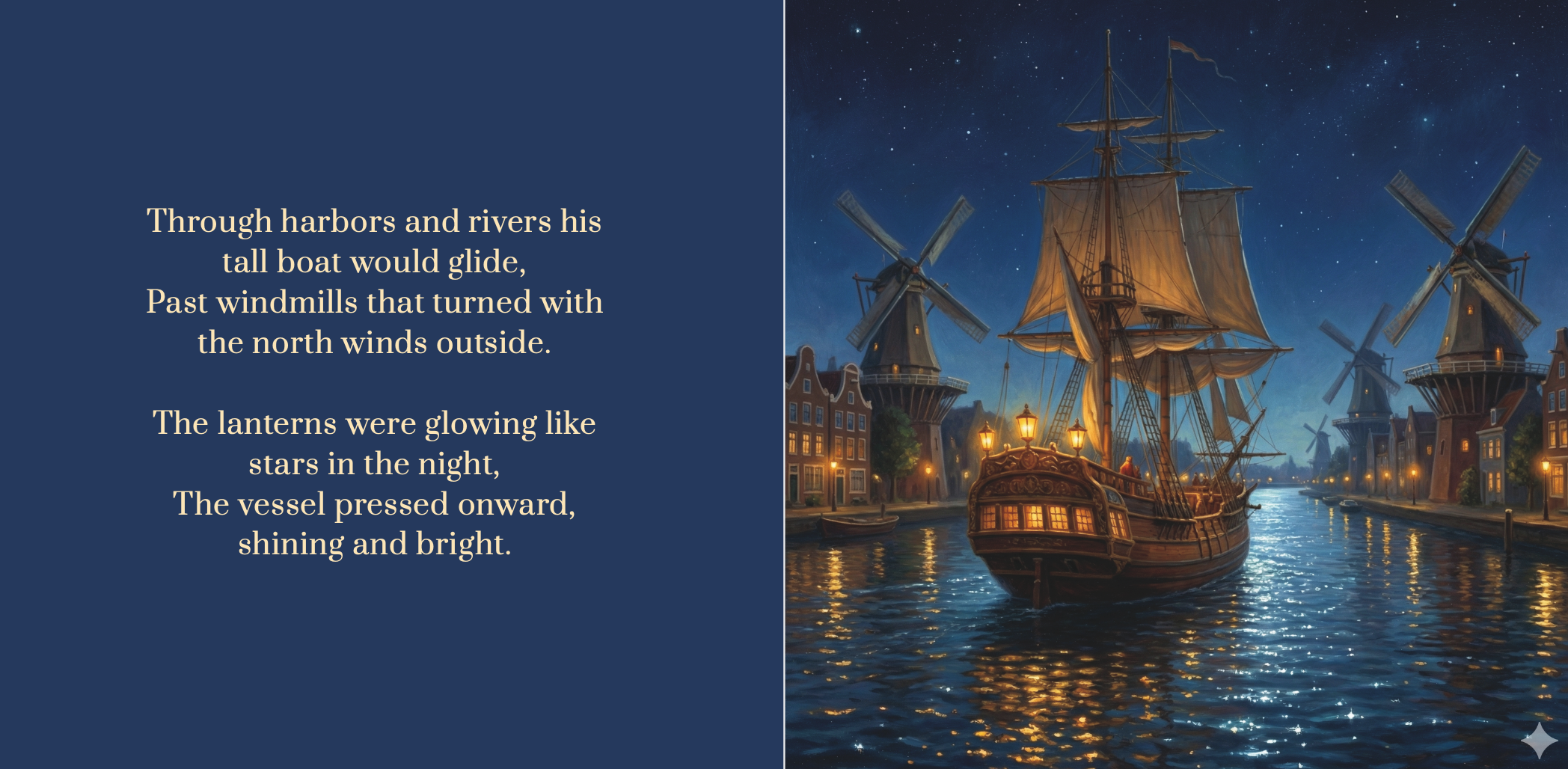
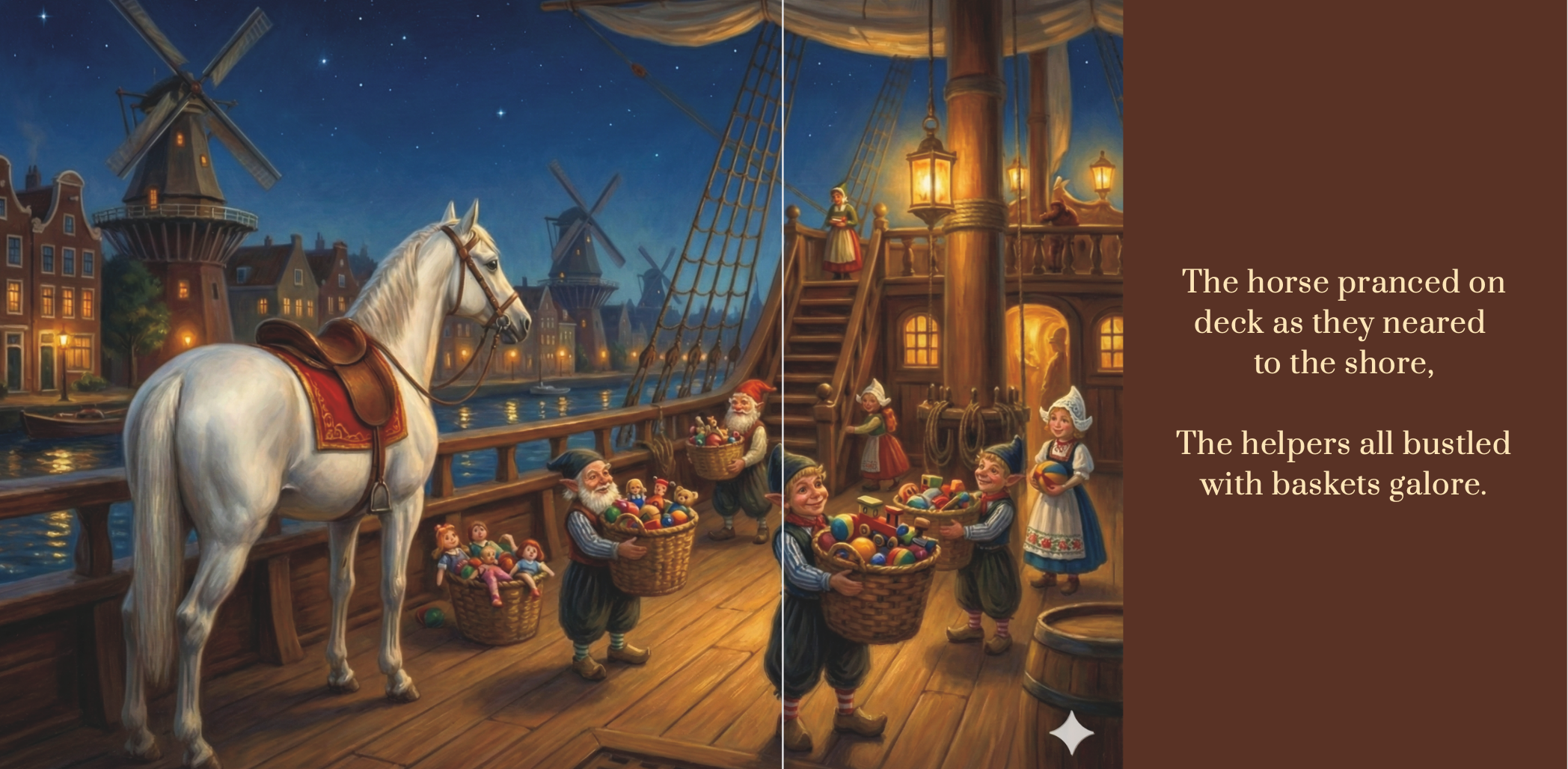




👆 Swipe or scroll to see more pages
Seeing this image generation quality made me realize something: The short-lived “bad AI images” era is officially over. And to appreciate just how fast we got here, we have to look back at where we were less than a year ago.
The “Survivor” Test: A Look Back
In March, I sent an AI-generated happy birthday image to a friend on our group text chain. We are both big fans of the show Survivor, so I sent this prompt to ChatGPT:
Create an image of 2 guys and 3 girls celebrating a birthday on an African safari with animals in the background. Include a cake that is based on CBS show Survivor with 33 candles for the birthday boy
Here was the result:
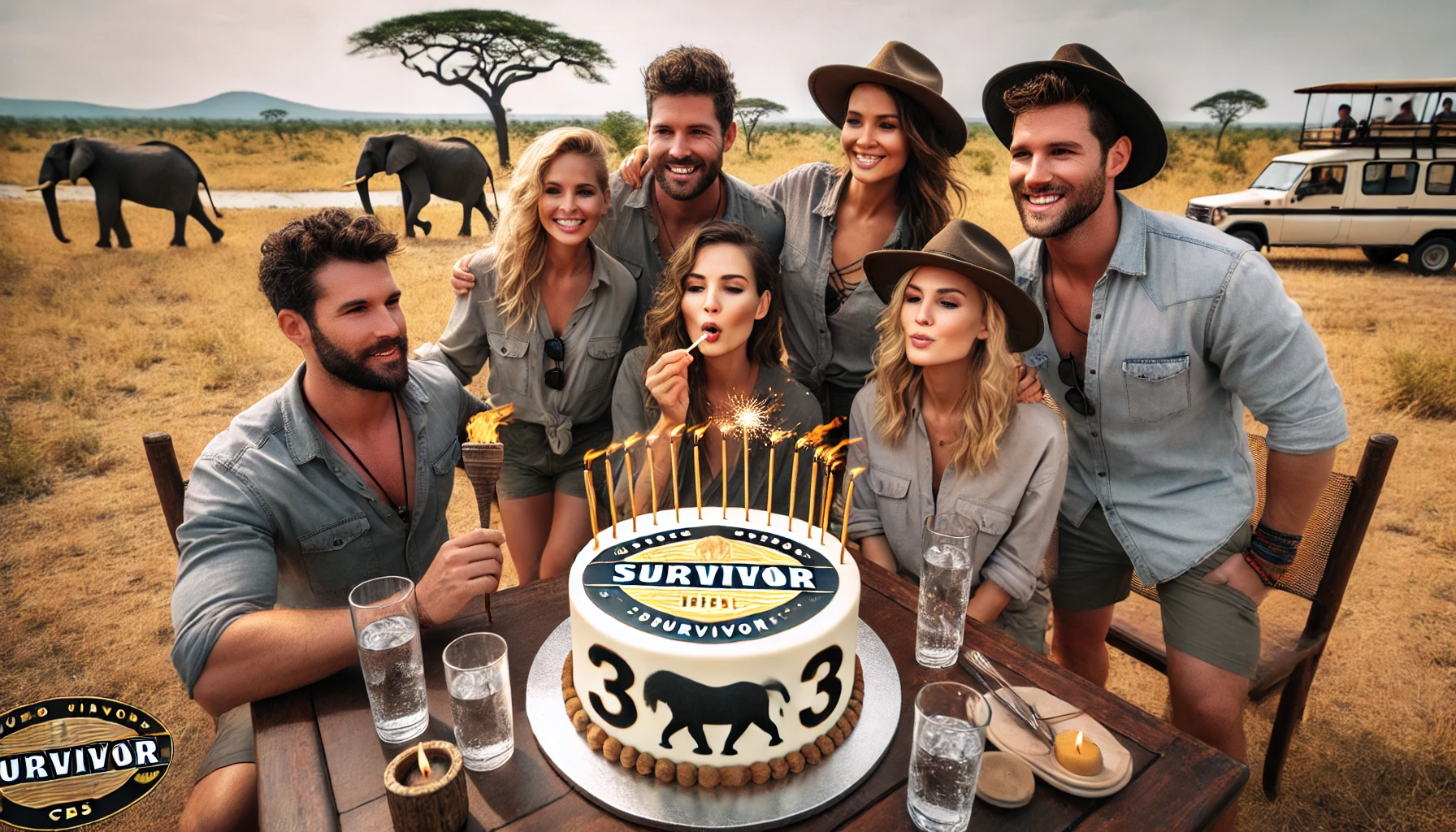
At the time, we laughed at the “AI hallucinations” and went full detective mode to call them out.
- AI apparently can’t count… 2 more people than I requested.
- One woman has three rows of teeth.
- Woman is blowing on a Q-tip instead of the candles?
- The logo in the bottom left looks like it went through a washing machine.
- The animal on the cake is doing something… questionable… which makes it far from appetizing.
Just 8 months later, Google released Gemini 3.0 with “Nano Banana” image generation. Not only can I now generate a realistic image without the hallucinations, I can put me and my friends in the picture.
I uploaded a photo of my friends and me and tweaked my prompt:
“Place these five people on an African safari…”
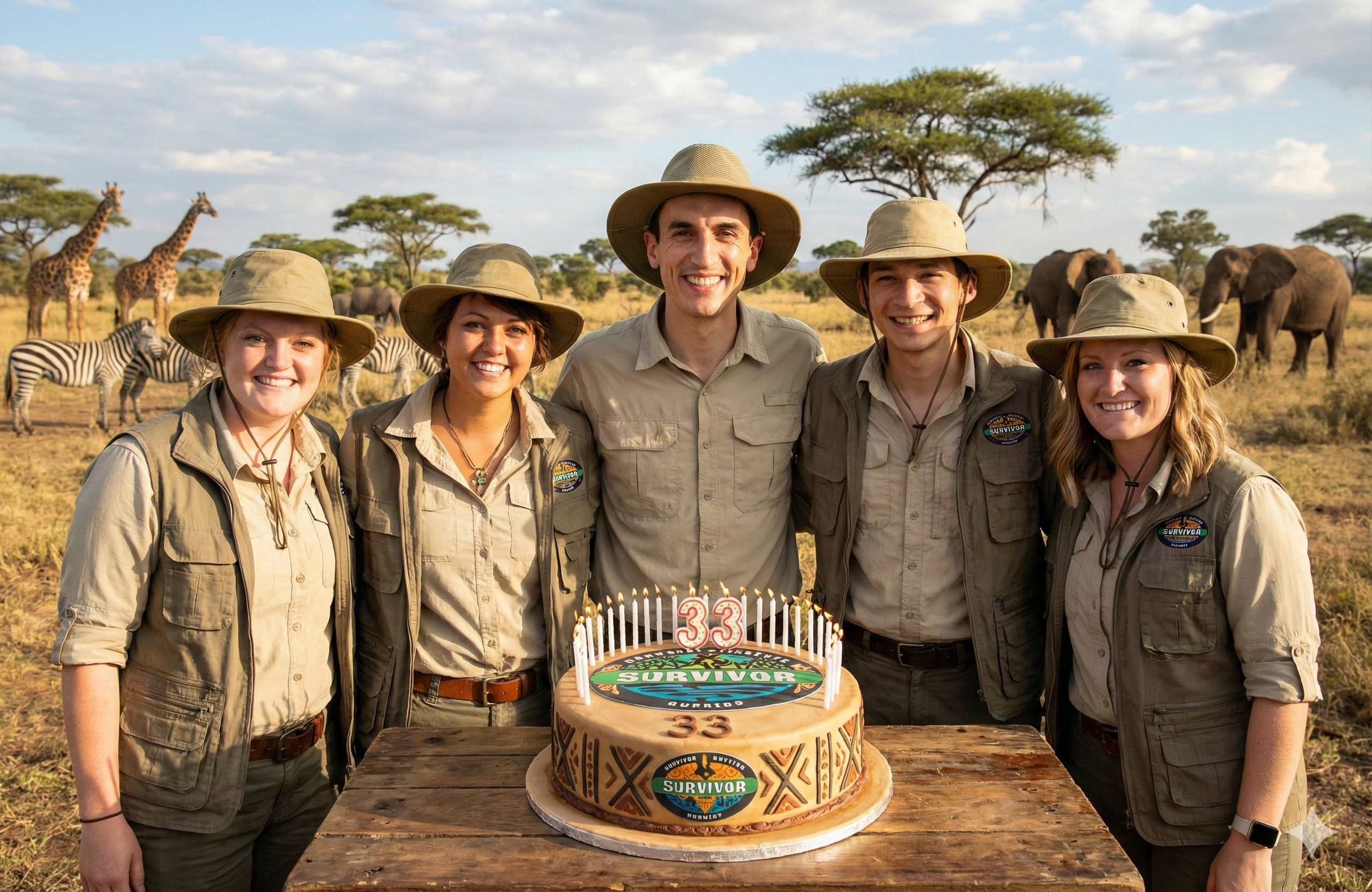
No more uncanny valley. All the AI hallucinations are gone.
My New Cheat Code: Generating Infographics
While the storybook was a fun personal project, Gemini 3 adds the most value to me as a data professional because it generates infographics phenomenally well. Here are a few examples where I’ve used it to automate workflows that used to take hours:
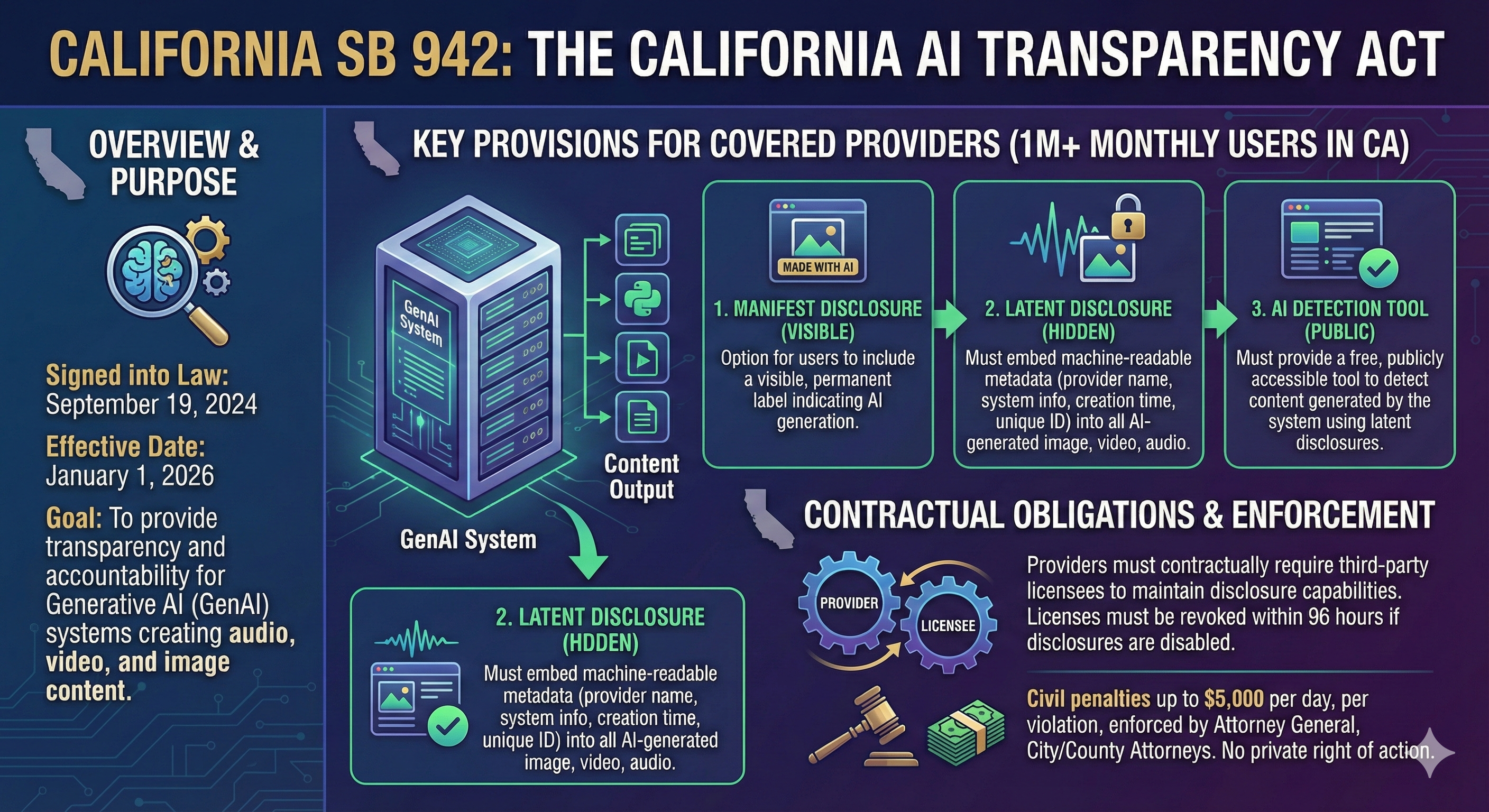
- Visualize Dense Text: I needed to learn about AI policy so I passed it a very dry bill with confusing legalese and it synthesized key takeaways for me in seconds. As a visual learner, I retained more from this one image than I would have from slogging through the entire bill text just to get the key takeaways.
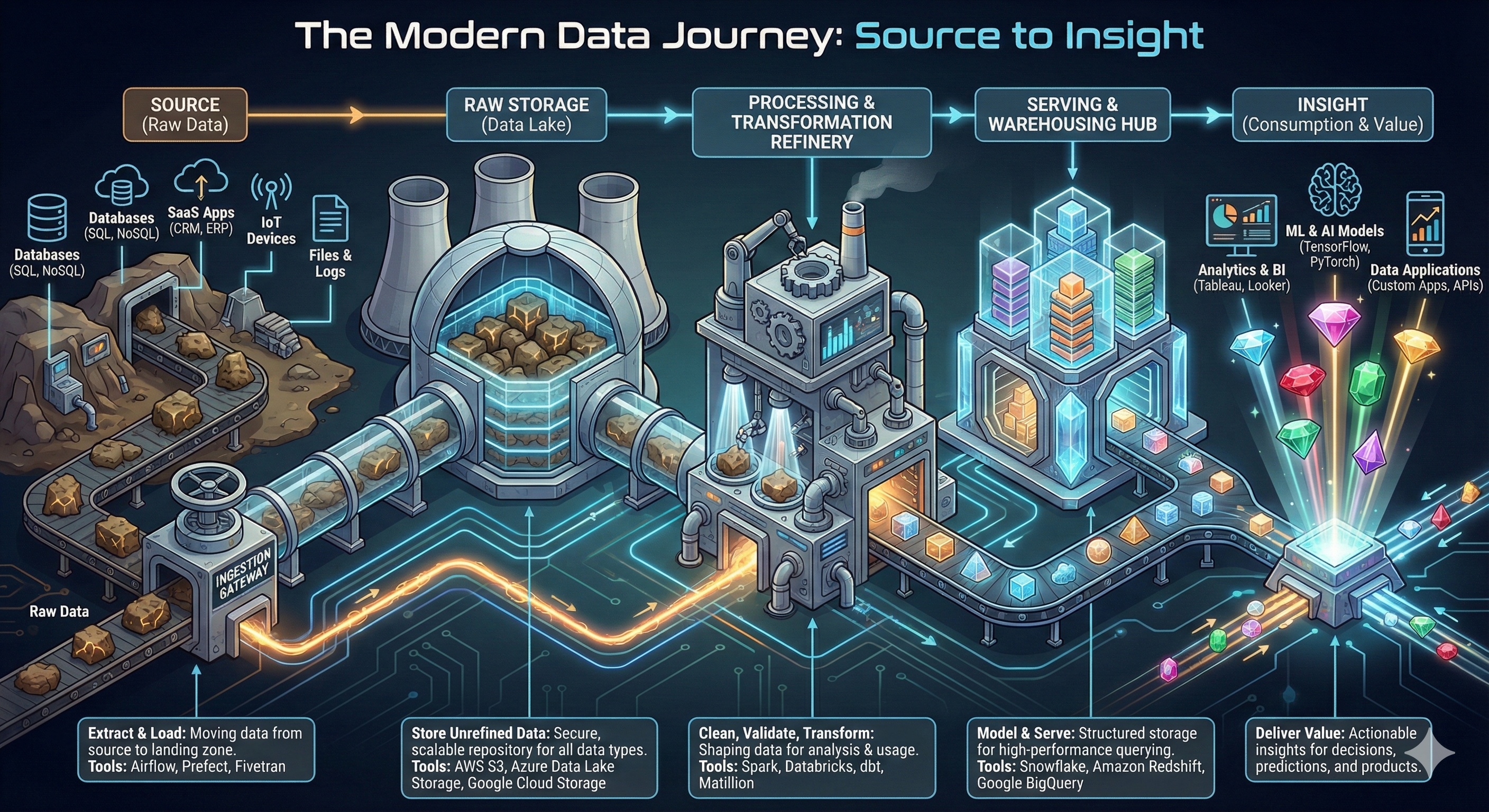
- Creating Process Diagrams: A previously time-consuming part of my job as a data engineer was creating process diagrams. I’ll probably never drag shapes around a chart again now that I can create these through natural language.
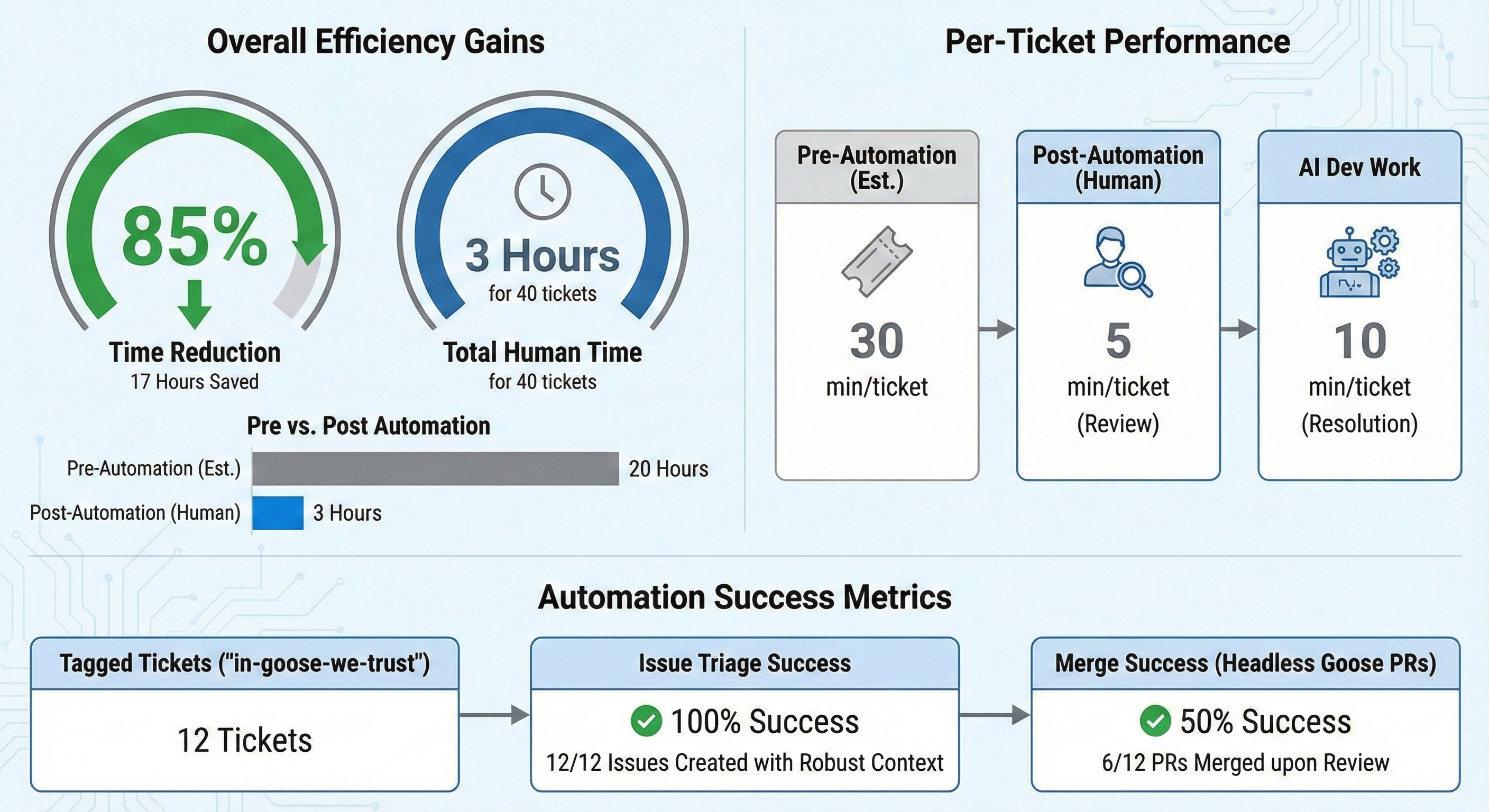
- Summarizing Key Results: I was writing a case study documenting the results of an automation I built. The impact was buried in boring bullet points, so I passed them to Gemini and got an infographic that tells a much better story.
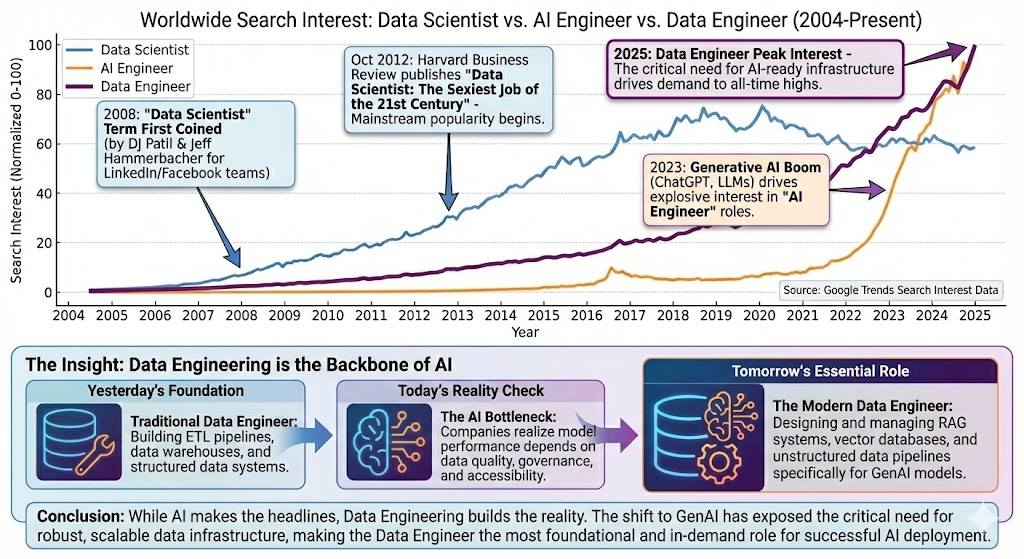
- Visualizing Trends: I had a question pop into my head, so I asked Gemini to create an infographic to answer it. Previously this would have required hours of structuring and cleaning data, building a Tableau dashboard, fighting with tooltip annotations… now it takes minutes.
💡 Pro tip
Never trust AI blindly. A quick way I fact-check is to open a new chat, upload the image + source link, and ask: "Audit this infographic against the source text. Are there any inaccuracies?"
Beyond Infographics
Nano Banana is also great for “visual what-ifs”. Examples include uploading a selfie to preview a new hairstyle, reimagining a room with different paint colors, or dropping yourself and your friends into fantastical scenarios.
Why I Switched from ChatGPT to Gemini
While the shiny new image-generation feature was the hook that drew me to Gemini, the Google ecosystem is the anchor.
I’m already deeply integrated with Google (Drive, Gmail, Photos). I realized I don’t need Gemini to vastly outpace ChatGPT forever; I just need parity. Now that they’ve achieved (and arguably surpassed) that, the convenience of an all-in-one ecosystem is impossible to ignore.
ChatGPT has held my loyalty since 2022 and it’s a tough breakup, because I fully credit OpenAI with ushering in the AI age. I’m sure there will be more swings in model performance between the two companies, but I’m now betting on Google to win the AI race. This was a fascinating deep-dive podcast on how Google has AI woven into their DNA and the infrastructure to maintain their current lead: Acquired: Google the AI Company.
The Takeaway
If a picture is worth 1,000 words, Gemini just gave us the ability to skip the first 999.
I don’t buy into the narrative that AI will make us intellectually lazy. Learning with AI is more personalized and engaging. It has allowed me to process information 10x faster than before.
My new learning loop: Define the question → Source expert intelligence → Visualize the results → Repeat
AI doesn’t replace learning. It removes the friction that slows us down.
Ready to Try It Out?
If you want to test Gemini 3’s image generation for yourself, here’s how to get started:
- Go to gemini.google.com/app
- Make sure “Thinking mode” is toggled on
- Click on Tools, then select “Create images”
- Pass the prompt: “Create me a detailed infographic image of [insert your vision]”
P.S. As powerful as this tool is, I have concerns about its impact on creative professionals. Stay tuned for Part 2, where I will share why I’m not selling the storybook and my framework for ethical AI usage.